Most people meet an AI agent through a chat window: ask a question, receive an answer, then start over next time. That is useful, but it leaves much of the value on the table. A better goal is an operating layer: a practical assistant that works with your context, reusable procedures, connected tools, and recurring checks while keeping you in control of important actions.
This guide explains how to build that kind of setup with Hermes Agent. It is aimed at makers, self-hosters, and small operators who want dependable workflows rather than another novelty chatbot.
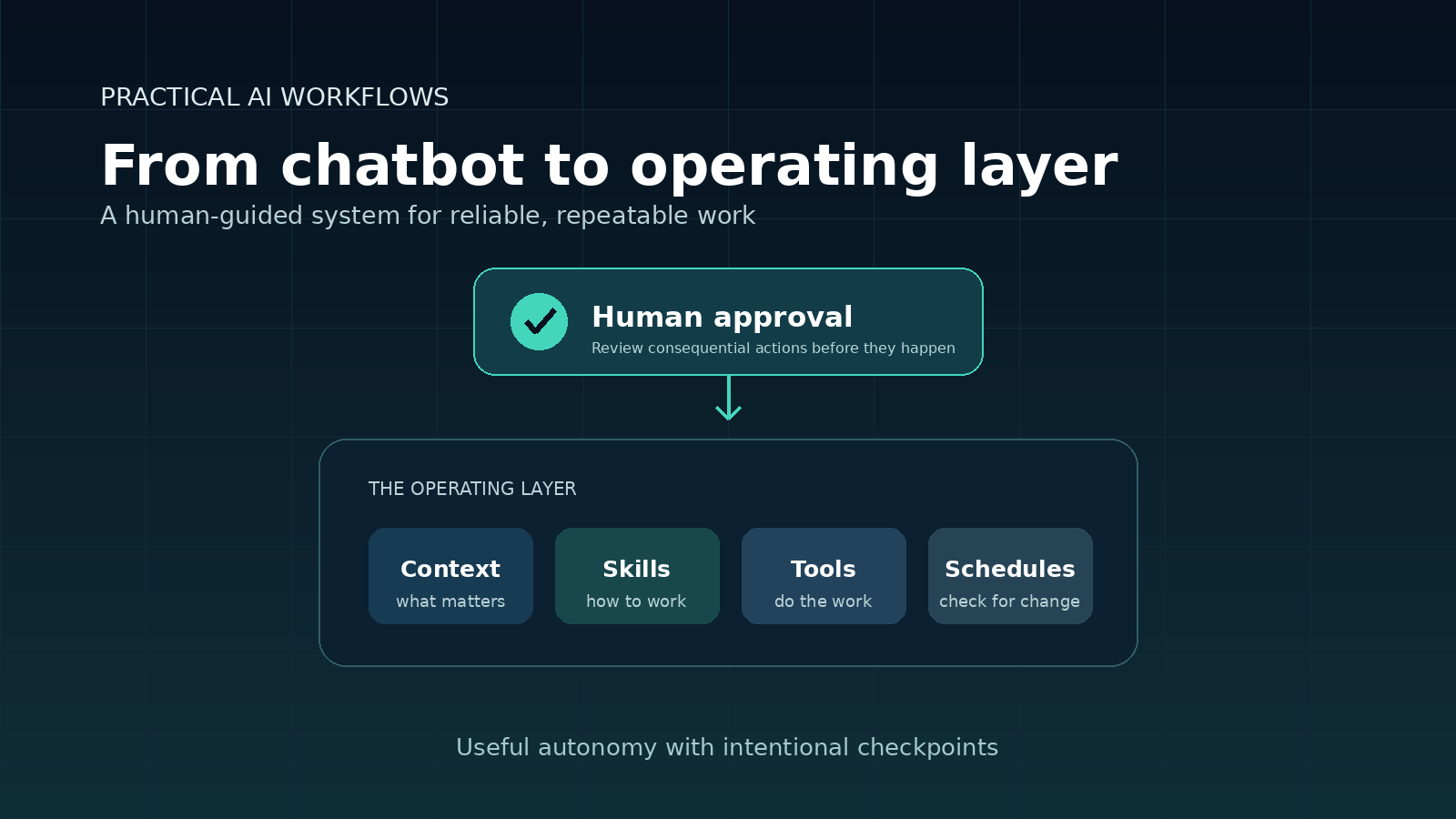
What an operating-layer agent does differently
A chatbot responds to a prompt. A project-focused coding agent completes a defined task. An operating-layer agent connects the work around those interactions: it can preserve useful context, follow a tested procedure, prepare recurring work, and return a result for review.
The point is not to automate everything. The point is to reduce the preparation and repetition around work you already do while retaining deliberate checkpoints for anything external, expensive, irreversible, or security-sensitive.
- Low-risk internal work: gather information, organise notes, draft a report, or inspect a defined source.
- Reviewable work: prepare an email, article, configuration change, or purchase list, then wait for approval.
- Consequential work: publish, send, buy, delete, or change production systems only after explicit confirmation.
Start with one job, not a list of features
The fastest way to make an agent feel unreliable is to connect every available tool before it has completed one useful job. Start with a small workflow that has a clear input, a defined result, and a boundary.
Good first workflows include:
- Turn a folder of notes into a concise daily briefing.
- Review incoming documents and list missing information.
- Draft customer-reply options without sending them.
- Monitor one defined source and report only a meaningful change.
Run the workflow manually first. This gives you a chance to improve the request, define what “good” looks like, and decide where the agent must stop for review. Only then should you turn it into a scheduled task or reusable process.
Build a memory stack, not a memory dump
Memory is most useful when it is curated. Saving every conversation, temporary task status, and one-off instruction makes future work noisier rather than smarter. Use the right place for each type of information:
- Always-on facts: stable preferences, project conventions, safety boundaries, and durable environment details.
- Deep retrieval: richer connections among projects, people, and decisions that are useful but too large for every prompt.
- Session history: conversations and decisions you may need to search later.
- Human-readable documentation: procedures, architecture, source material, and records you want to inspect or edit yourself.
A simple classification rule helps: stable facts belong in memory; a repeatable method belongs in a skill; long-form reference material belongs in a wiki or knowledge base; and temporary progress belongs in the current task.
Turn repeated corrections into skills
Memory tells an agent what matters. A skill tells it how to perform a job consistently.
For example, “use short paragraphs in client updates” is a preference. “Collect the open actions, check the latest figures, draft the update in this structure, and ask for approval before sending” is a repeatable procedure. Capture the latter as a skill after you have completed it successfully more than once.
A useful skill should state the required inputs, the steps, expected output, stop conditions, validation checks, and known pitfalls. This is particularly valuable for operational checklists, research briefs, content production, document pipelines, and software changes.
Give tools boundaries instead of blind permission
Tools let an agent work with files, services, commands, and connected systems. They also create risk. The goal is not unrestricted autonomy; it is useful autonomy with intentional checkpoints.
Write the handoff into the workflow. “Prepare the final draft and wait for approval” is specific and safe. “Handle my email” is not. The same distinction matters for publishing, modifying infrastructure, deleting files, making purchases, and changing access controls.
Before connecting a tool, decide:
- What information can the agent read?
- What can it create or change without approval?
- Which actions always require approval?
- How will you verify the result?
Schedule decisions, not noise
Scheduled jobs become valuable when they answer a specific question. A request such as “check everything and tell me what matters” creates vague reports and notification fatigue. A stronger request defines the source, decision rule, exclusions, output shape, and delivery route.
For example: “Each weekday morning, inspect yesterday’s support queue. Return one urgent issue, one repeated customer pain point, and one recommended improvement. Ignore routine confirmations and keep the result under ten bullets.”
The highest-leverage pattern is often exception monitoring: stay quiet when nothing has changed, and notify you only when something needs attention. A scheduled task must be self-contained because it runs without the full context of the current chat.
Use sub-agents only for separable work
Parallel agents are useful when a task has genuinely independent parts. One can review competing articles, another can extract recurring customer requests, and the main agent can compare the evidence. They do not replace a clear plan or final judgment.
Give every sub-task a narrow scope, the relevant input, and a defined output. Ask for evidence where it matters. A broad request such as “research this business opportunity” usually produces overlap and vague summaries. A request to compare three documents by audience, promise, evidence, and unsupported claims is much easier to verify.
Create separate profiles only when the work differs
A profile is a separate working home for a specialised assistant. It may have different context, permissions, skills, or scheduled jobs. Use one when mixing contexts would create clutter, confusion, or risk.
For instance, a development profile may contain repository conventions and deployment practices, while a content profile uses editorial rules and publishing safeguards. Do not create profiles simply to make the dashboard look organised. Create them after a recurring workflow has developed distinct knowledge, permissions, or safety rules.
A practical seven-day rollout
- Day 1: complete one small, useful task with a reliable model.
- Day 2: add a more convenient interaction surface only if it improves delegation.
- Day 3: document one proven recurring method as a skill.
- Day 4: connect one tool tied to real work and define its approval boundary.
- Day 5: create one scheduled, decision-oriented check.
- Day 6: try parallel research on independent inputs and verify the combined result.
- Day 7: create a specialised profile only if the workflow now needs its own context or permissions.
Common mistakes to avoid
- Adding too many tools before a workflow has proved useful.
- Saving every detail as permanent memory.
- Choosing a low-cost model for work where retries and supervision cost more.
- Scheduling reports without a decision rule.
- Trusting agent summaries without checking important claims.
- Assuming an agent can safely act without a defined approval point.
Conclusion
The useful outcome is not a large tool list or a clever prompt. It is a system that remembers what matters, follows repeatable methods, uses connected tools within clear limits, and brings prepared work back to you for judgment.
Start with one workflow. Make it useful, safe, and easy to verify. Then turn the parts that repeat into skills, curated memory, scheduled checks, and specialist profiles. That is how an AI agent becomes dependable infrastructure for better work rather than just another place to type prompts.
Next step: read the official Hermes Agent documentation, choose one recurring task you already understand, and run it manually before you automate it.